

AES Crypt on Mac
Graphical User Interface (GUI) Usage
The Mac version of AES Crypt offers a simple graphical user interface to securely encrypt and decrypt files. Below is a screen shot of what the password dialog looks like when encrypting files.
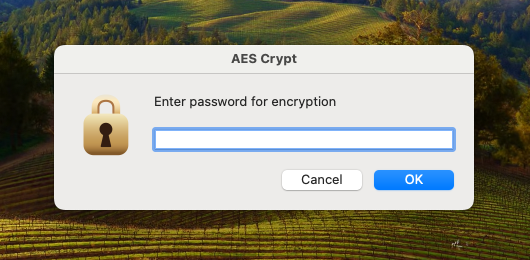
To install the AES Crypt GUI app, download the disk image file and open it. Inside, you will see the AES Crypt app and a link to your Applications folder. Drag and drop the AES Crypt app to the Applications folder. You may then eject the disk image.
To use AES Crypt, you have three options:
- Drag and drop by placing the AES Crypt lock icon on the dock or desktop
- Use the "Open With" context menu
- Launching the AES Crypt app and get prompted to select a file
Option 1: Drag and Drop

To use the AES Crypt GUI on your Mac using drag and drop, drag and drop file(s) to be encrypted or decrypted onto the AES Crypt application lock icon. To make it easier to access, it is recommended dragging the AES Crypt lock icon onto the dock or creating a shortcut on the desktop. With the lock icon on the dock or desktop, you drag files onto the lock icon to invoke AES Crypt. It will then present a dialog to encrypt or decrypt as appropriate.
Option 2: "Open With"

To use AES Crypt with the "Open With" option, select the file(s) you want to encrypt or decrypt, right-click and select "Open With". For most common file types, you will see AES Crypt as an option. If you do not see AES Crypt in the list, select "Other..." and you should see AES Crypt there. In either case, select AES Crypt and it will open the password dialog window.
Option 3: Launching AES Crypt
The last way to use AES Crypt is just by opening the app. It will open a Finder window to allow you to select the file(s) you wish to encrypt or decrypt. This mode is perhaps the simplest for those who use AES Crypt less frequently, but occasionally need to use AES Crypt to encrypt or decrypt a file. For those who use AES Crypt frequently to encrypt or decrypt, it is far faster to place the lock icon on the dock and use drag/drop (Option 1).
Decrypting Files
It is possible double-click on the AES Crypt encrypted file that have a ".aes" extension to make it very simple to decrypt. (Drag and drop or "Open With" also work.)
Encrypting or Decrypting Multiple Files
You may encrypt or decrypt multiple files at once using the same password by selecting a collection of files and dropping them on the lock icon, right-clicking and selecting "Open With", or via the Finder window that opens when you launch AES Crypt. Do not mix encrypted and unencrypted files, though. (AES Crypt will report an error if you do that to prevent accidents.)
Command-Line Usage
AES Crypt for the command-line works the same way on all platforms. See the command line instructions for usage.
There is no installation script for the Mac command-line version. To use it, extract the tgz file and place the executable in /usr/local/bin/ and, optionally, the man page in /usr/local/man/man1/.