

AES Crypt for Android
Basic Usage
AES Crypt for Android utilizes the same internal cryptographic engine as the desktop applications, leading to perfect interoperability between Android and desktop (and command-line) AES Crypt.
The design goal of AES Crypt on Android, like all other platforms, is simplicity of use while providing fast, extremely strong security.
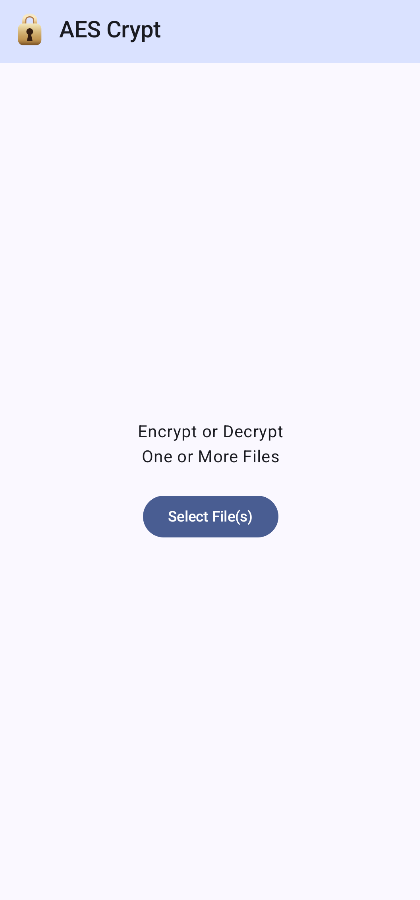
The initial screen has a button to press to open the file selection dialog. The file selection dialog that opens is the standard Android file selection interface that should be familiar to users on their respective devices. You may select any number of files to encrypt or decrypt.
Once the file encryption or decryption process starts, you will see a progress dialog like what is shown below.
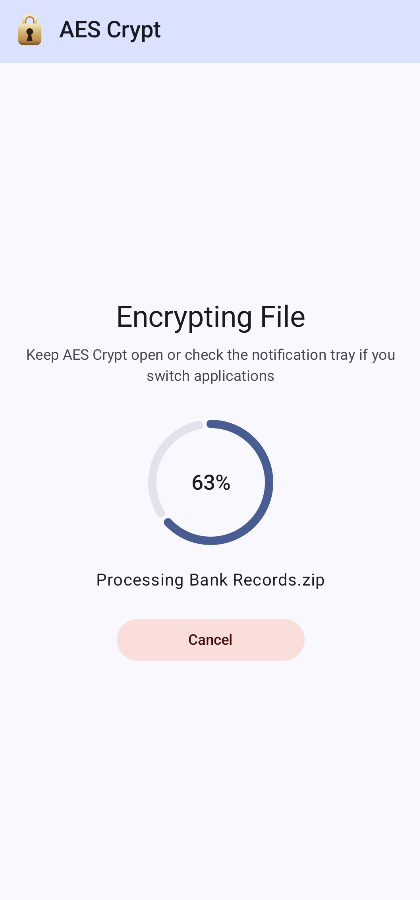
The meter shows the progress of the current file, with the name of the current file shown below the progress meter. If files are small, you may not see the progress meter move or may see it jump forward quickly, which is consistent with other platforms. The goal is to reduce user interface events while prioritizing encryption/decryption performance. The meter is more useful when processing larger files.
Once finished, AES Crypt will return to initial start screen. If there is an error, an error screen will be shown.
Like with other platforms, the output file will be placed in the same location as the original file and the original file is not deleted.
Background Processing
AES Crypt can run in the background if you want to encrypt/decrypt while doing other tasks. However, on some devices, AES Crypt may run slower in the background as Android prioritizes the foreground task. A progress notification will be shown, though, so you will know the processing status or if there is an error.
Screen Colors
AES Crypt follows the latest Android recommendation for color theming, so the colors you see may vary based on your wallpaper or other attributes Android uses to determine an appropriate color palette.
If you are a "dark mode" user, you will be happy to know AES Crypt fully supports dark mode.